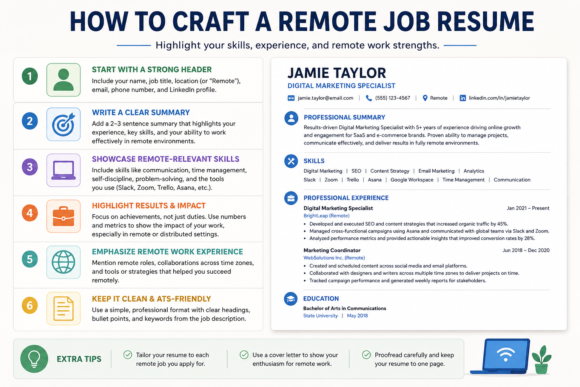
I remember when I first started searching for tech support roles that could be done from home. I quickly realized that resume strategies had to change. You probably know the basics of a resume, but remote job resume tips are a bit different. You need to show that you’re tech-savvy, independent, and good at helping people, often through a screen rather than face-to-face.
With more companies putting support roles online, the competition gets tougher. It’s no longer about listing generic duties. Instead, you want every part of your resume to prove you’ll thrive handling customer issues from home, keeping communication clear, and working without direct supervision.
I’ve put together this guide for anyone who wants to write a tech support resume that hiring managers for remote jobs can’t ignore. Whether you’re updating your resume or building one for the first time, you’ll find a lot of practical tips, real examples, and a full checklist to help make your application stand out.
Understand What Remote Tech Support Roles Really Want
Remote tech support jobs focus on more than troubleshooting skills. Companies look for people who can communicate clearly, manage their time independently, and use a range of online tools to support their teams and customers. You are expected to handle a wider variety of issues than you might in an office, so showing flexibility is important.
The Core Skills Needed:
- Strong written and verbal communication, since almost all help is done digitally or over the phone
- Problem-solving skills, so you can resolve issues quickly and calmly
- Self-motivation and organization for working independently from home
- Technical knowledge with familiarity across operating systems, hardware, and remote help tools
- Time management, as you’ll often be balancing multiple tickets or calls at once
- Adaptability to new technology, since remote work environments change fast
When writing a resume for these jobs, I always highlight a mix of technical and soft skills to balance both requirements. These expectations might seem high, but showing even a little experience across all these areas can give you a real edge.
Start With an Impactful Summary
The summary is the first thing recruiters see. Keep it short, usually two to four lines, but make it specific to remote tech support roles. Use this section to highlight remote work experience, key support skills, and any technical expertise related to the job posting.
Example Summary:
Tech support specialist with 4+ years’ experience helping users resolve complex PC and software issues entirely online. Comfortable with remote troubleshooting tools, CRM systems, and providing calm, clear guidance to nontechnical users over chat and email.
Even if I’m newer to remote roles, I mention skills like self management, fast problem solving, or flexibility with time zones. This lets employers know I get the remote work style. Be specific here, and don’t just write “I work well remotely”—give examples of how you adapt and keep yourself on track.
Highlight Technical Skills and Remote Tools
Listing tech abilities is important, but for a remote tech support job application, it matters even more to call out the tools you have actually used from home. This could be remote desktop apps, ticketing platforms, VoIP software, or online collaboration tools. When you add these, always show what level of skill you have (for example, “Advanced with Zendesk” or “Familiar with TeamViewer”), to help hiring managers quickly match your resume to their stack.
Common Tools to List:
- Remote desktop tools: TeamViewer, AnyDesk, RemotePC
- Ticketing systems: Zendesk, Freshdesk, JIRA Service Desk
- Communication: Slack, Microsoft Teams, Zoom, Google Meet
- Operating systems: Windows, macOS, Linux
- Networking basics: VPNs, routers, basic troubleshooting
You should also mention any specialized platforms you’ve used, such as remote monitoring software, antivirus management systems, or workflow tools. The more specific you are, the better; it helps you stand out, especially if many applicants just list generic skillsets.
Describe Remote Work Experience (Even If It’s Limited)
Experience with remote work is a big plus. If you’ve done tech support from home before, call this out clearly and mention the results you achieved. Detail how you structured your day, handled high volumes from a home office, or managed communication using digital platforms.
Example Job Description:
- Provided phone and online support to 50+ end users weekly via Zendesk, maintaining a 97% satisfaction score while working fully remotely.
- Troubleshot networking issues using AnyDesk, walking nontechnical staff through processes over video and live chat.
If you haven’t formally worked from home, focus on any situation where you managed projects, learning, or communications independently. Mention remote volunteer work, school group projects over Zoom, or even freelance gigs where you organized your time and delivered results without in person oversight.
You can also point out any remote training, certifications, or side projects you completed at home. Show how you set up your workspace, communicate updates, or learn and troubleshoot on your own. This proves you can handle the unique challenges of remote tech support.
Showcase Soft Skills That Matter for Remote Support
Tech skills get you in the door, but human skills help you stand out. For remote support jobs, always emphasize traits like patience, empathy, and clarity because these make remote troubleshooting smoother for customers and teammates alike.
Important Soft Skills:
- Clear written communication (especially via email or chat)
- Empathy and patience with frustrated users
- Ability to learn new tools independently
- Proactive updates to customers and team members
- Reliable organization, managing multiple tasks and follow-ups remotely
Instead of just listing “strong communicator,” back it up by adding a line about training new users over video call, creating step-by-step guides, or improving ticket response times. Using stories or results from past roles can make these traits concrete in the eyes of employers.
Use Action Verbs and Numbers to Prove Your Value
Hiring managers see countless resumes that just say “responsible for X.” Using action verbs and specific numbers helps your achievements pop off the page. Instead of saying “helped customers,” say “resolved 20+ daily support tickets with an average 95% satisfaction rating.”
Strong Phrases To Try:
- Resolved 100+ technical issues monthly via remote troubleshooting tools
- Reduced average ticket handling time by 30% through improved workflow
- Trained 10+ new hires remotely on ticket system best practices
Whenever you can attach a stat—even something like the number of users supported or satisfaction rate- it makes your achievements more believable and memorable. Quantifying your work helps recruiters see the impact you’ve had in previous roles.
Target the Resume for Each Application
One resume usually won’t work for every tech support listing. Read each job ad carefully and tailor the sections where you describe experience and tools to match the keywords employers use. If a post mentions “remote ticketing” or “customer onboarding by video,” make sure those exact phrases appear in your descriptions, assuming you actually have those skills. This small step can make a big difference in how quickly you get noticed by automated resume scanning systems and human recruiters alike.
Checklist Before Submitting:
- Does your summary match the language of the ad?
- Are the employer’s required tools or software named in your resume?
- Have you listed results or stats wherever possible?
- Did you mention remote work skills and setups?
This process may take extra time, but targeted resumes get more interviews. For remote tech support jobs, where software familiarity is often a deal breaker, showing you match the “must have” skills can really speed up your chances of landing an interview. Don’t be afraid to adjust your resume for every role you apply to; it pays off.
Remote Job Resume Checklist
When reviewing my resume before sending it off, I use this remote job resume checklist. It keeps me from missing anything that recruiters care about for remote tech support.
- Clear summary customized for remote tech support roles
- A list of relevant and current technical tools or platforms
- Examples of both independent and teamwork
- Specific, results-based bullet points
- Soft skills with practical examples
- Mention of a remote-ready workspace (optional but helpful)
- No typos or vague “responsible for” phrases
I also keep the format clean, use standard fonts, and save the resume as a PDF so everything looks the same when it’s opened on different computers. A well-organized document helps you make a solid first impression.
Resume Examples for Remote Tech Support
Entry-Level Example
SUMMARY: Recent graduate with strong troubleshooting skills and experience resolving technical issues for classmates over chat and remote screen sharing. Fast learner with a reliable home office setup.
TECHNICAL SKILLS: Windows 10, basic Linux, TeamViewer, Slack, Google Meet
EXPERIENCE:
• Provided peer-to-peer support for college software (10+ users) remotely using Zoom and email.
• Created how-to guides for common student technology problems and shared them with professors and classmates.
Experienced Example
SUMMARY: Tech support specialist with 5+ years assisting end users for a SaaS company, expert at troubleshooting issues remotely and maintaining high customer satisfaction rates.
TECHNICAL SKILLS: macOS, Windows, Zendesk, Freshdesk, VPN configuration, Google Workspace
EXPERIENCE:
• Managed 30 to 40 remote tickets per day with a 98% first-touch resolution rate.
• Created video tutorials to onboard remote staff, reducing new employee ramp-up time by 40%.
Common Questions About Remote Tech Support Resumes
How much should I focus on remote work skills if I have never worked from home before?
Even if you haven’t had a formal remote job, you probably have experience working independently. Look for places where you managed your own time (like freelance projects or virtual group assignments) and highlight those. Explaining how you learn new tech on your own or handle problems without direct supervision fits well on a remote tech support resume.
Should I mention my home tech setup?
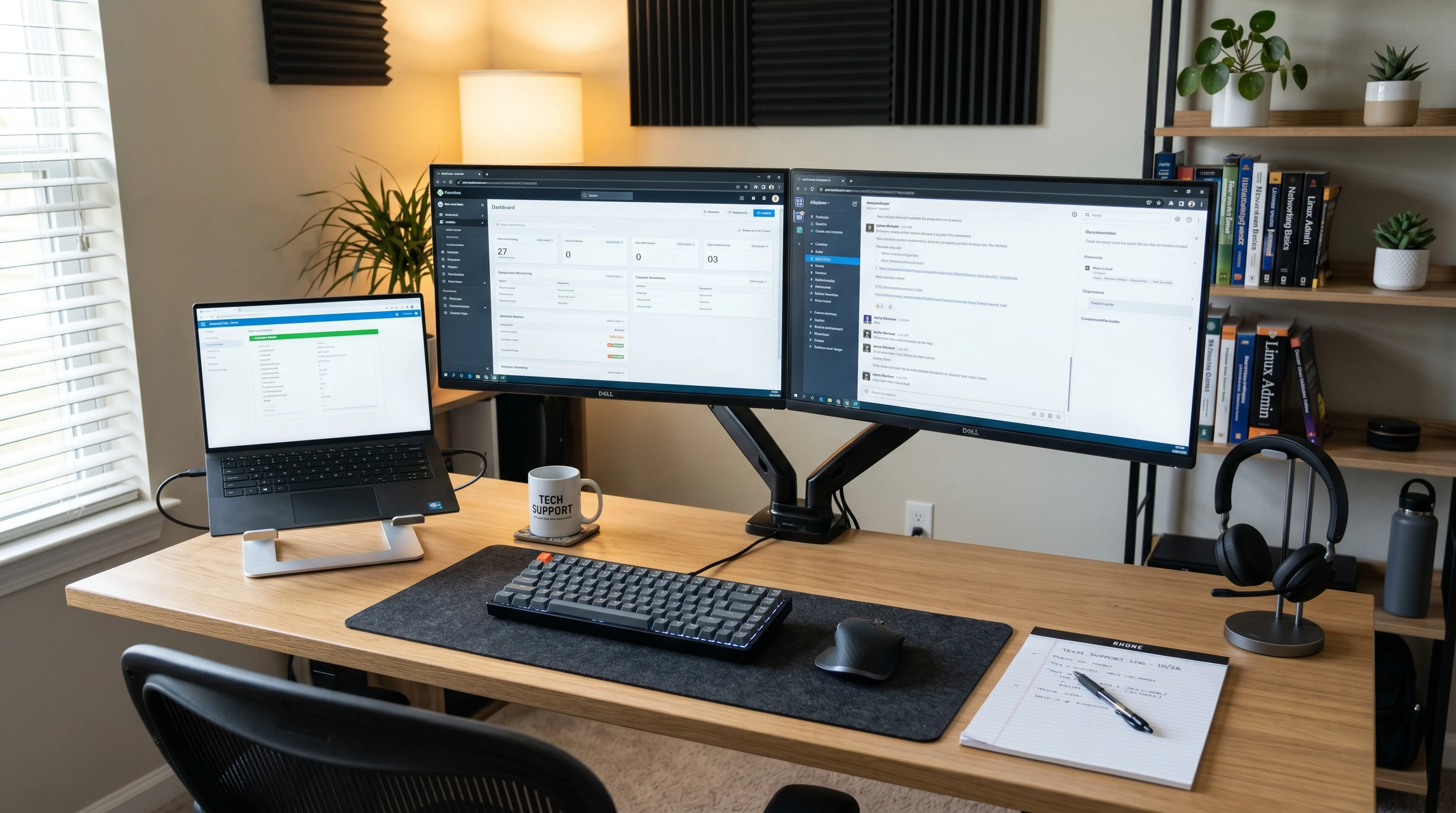
If a listing asks about your remote readiness, briefly mention in your summary or skills section that you have a distraction-free home office, reliable internet, and up-to-date equipment. This reassures employers that you’re ready to start work right away and won’t have technology slowdowns.
How do I handle employment gaps?
For gaps, include any technology training, certifications, remote coursework, or personal tech projects you completed during that time. Showing constant learning or interest in tech is much better than leaving a blank period unexplained. If you took care of family needs or worked in a different field, briefly mention transferable skills such as communication, time management, or training others in a digital environment.
Next Steps: Build Confidence and Apply
Writing a remote tech support resume that stands out takes practice. The more you customize your application, the better your results. I’ve helped friends and clients with their tech support resumes, and the successful ones always use numbers, make every bullet point practical, and are honest about what they can do.
Your Action Plan:
- Pick three job posts for remote tech support that interest you.
- Update your resume so your summary, skills, and experience match what they want.
- Use the remote job resume checklist above before you send any application.
If you have questions or need more examples on how to write a tech support resume, check out resources like Indeed’s advice on remote resumes or FlexJobs’ tips for remote job seekers. With some practice, your resume can help you land that next remote gig.
This article was created with AI assistance and reviewed by a human editor.