Building a great workspace as a remote UX designer doesn’t have to drain your wallet. Affordable home office setups can still be inspiring, comfortable, and productive, especially if you know what to look for and where to spend your money. I’ve spent years tinkering with my own home office setups and trying out loads of products, so I’m ready to share the best strategies, budget tips, and practical ideas to help you build your own dream setup without going broke.
Picking the Right Spot: Where to Set Up Your UX Home Office
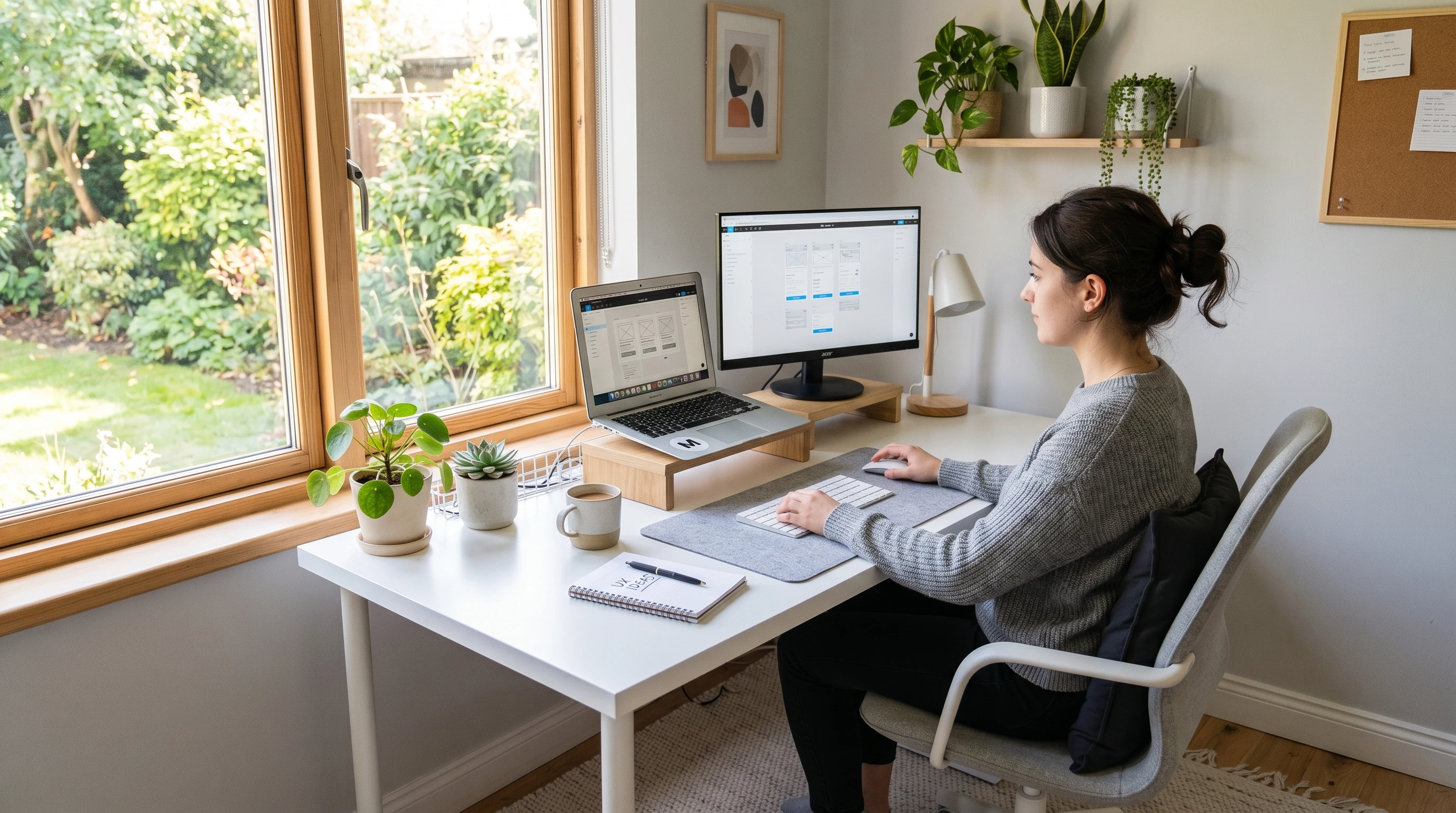
Your space really affects your focus and creativity. If you have a spare room, that’s awesome, but lots of us are working out of bedrooms, living rooms, or even hallway corners. The goal is carving out a spot where you can buckle down and get things done, even if it means being creative with screens or furniture arrangements. Here are some tips that have made all the difference in my own setup:
- Natural light: Set up near a window if you can. It makes a huge difference for both mood and energy. Pull the shades or curtains if it’s too harsh, but getting sunlight keeps you sharp.
- Noise level: Keep the area as quiet as possible, and use noise-canceling headphones for video calls or focus time.
- Flexible dividers: If privacy is tricky, try foldable screens or tall bookshelves. They work really well for “zoning off” your work area, even in small apartments.
- Wall use: Hang shelves or pegboards to keep your desk clutter-free, and add some personality. This is especially handy if floor or desk space is limited.
Making your workspace work for you doesn’t take much money, just good planning. Even swapping the location of your desk to face a window or a calm wall can change how you feel about work every day.
Core Home Office Essentials for UX Designers
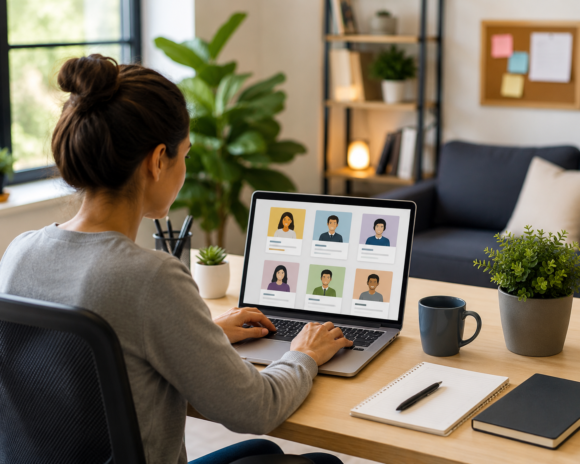
Certain tools are just really important for design work. You need the basics (desk, chair, and computer), but a few small upgrades and accessories can make a big difference, too. Here are the home office essentials for UX designers that I use and recommend to others just starting out:
- Sturdy desk: Something with enough room for your laptop, monitor, mouse/keyboard, notebook, and a bit of breathing space. Affordable options from IKEA (the LINNMON and LAGKAPTEN lines, for instance), or good secondhand finds work well. I scored a laminate-top table from a thrift shop for $15 once, still going strong!
- Ergonomic chair: Comfort matters a lot if you’re sitting for hours each day. Affordable ergonomic chairs for home office setups are available online or at major retailers. Focus on adjustable height, lumbar support, and breathable fabric.
- External monitor: For UX design, having screen real estate improves workflow. Aim for a 21–27-inch IPS display for decent color and wide angles. Refurbished monitors are often a steal compared to brand new ones.
- Reliable laptop or desktop: Most modern laptops can run Figma, Sketch, Adobe XD, or Miro easily. If you’re on a Mac, even a MacBook Air is enough for most remote work.
- Stable, fast Wi-Fi: UX work almost always involves large files and a lot of video meetings. If your wifi is spotty, a mesh network or plain ethernet cable gives a huge boost for not much money.
- External keyboard and mouse: Even affordable versions are more ergonomic than using your laptop’s trackpad all day. Wireless sets help keep your desk tidy and let you move them around easily.
- Headphones or speakers: Good headphones help you focus and block out background noise. You don’t need top brands—many budget models or even older versions will do the trick.
Add extras like a notepad, a dependable pen, a water bottle, and you’re set for a typical workday. Keeping your essentials simple lets you focus on creativity and jobs that matter.
Furniture Hacks: Best Budget Home Office Furniture
Buying all new furniture isn’t always necessary or realistic. Thrift stores, Facebook Marketplace, and even curbside finds can yield some surprising deals on the best budget home office furniture. Clever use of materials saves cash and gives your space a unique touch. Here are some ideas I’ve put to the test:
- Simple desk builds: Stack two small shelving units with a sturdy board for a DIY desk on the cheap. I made a “standing” desk this way with crates and a shelf, then painted it to match the wall color.
- Repurpose dining chairs: Not as plush as an ergonomic chair, but adding a supportive pillow or cushion helps a lot. Decorative seat pads are cheap and come in lots of colors.
- Mismatched furniture that works together: Pull together whatever you have, even if it’s not all one style, and tie it together with a coat of paint or matching organizers. It’ll look more cohesive and personalized.
- Adjustable laptop stands: Instantly turn any countertop or table into a standing desk alternative for under $40. These are light, easy to move around, and lifesavers if you get sore from sitting.
If you enjoy a bit of DIY, old crates and a spare plank can make a great impromptu standing desk. Sand any rough edges, maybe hit it with some paint, and you have a unique workspace made to fit your spot.
Cheap Home Office Gadgets for UX
A clutter-free, comfortable workspace helps keep ideas flowing and projects on track. Here are some fun and affordable gadgets and tools I recommend to any remote UX designer looking to give their workspace a boost without overspending:
- Mouse pads with wrist support: These really ease the strain on your hands when you’re wireframing for hours on end.
- Screen risers or laptop stands: Bringing your monitor up to eye level saves your neck. If you’re truly watching your budget, a stack of robust books or sturdy boxes works too.
- Desk organizers: Simple trays, cups, bins, or boxes keep pens, sticky notes, adapters, and cables out of the way. DIY versions from old jars or repurposed Tupperware work just fine.
- LED desk lamps: Eye strain adds up quick. A simple LED lamp with adjustable brightness and color temperature will brighten up your day and help prevent headaches.
- Cable clips: Charger cords can easily get out of hand. Cheap cable clips, binder clips, or even washi tape tame the mess fast.
- Mini whiteboards: Keeping your main goals, key deadlines, or spontaneous ideas visible while you work—these cost only a few bucks and help keep you organized.
Small gadgets and accessories are usually the best way to boost comfort and streamline your workflow with minimal new spending. Prioritize what irks you daily—solving those will make your workspace a joy.
Ways to Keep Your Home Office Organized on a Budget
Mess makes it harder to work remotely, especially in smaller rooms or shared spaces. Here’s how I keep things tidy with DIY home office organization on a budget, no matter how little space I have to work with:
- Wall-mounted organizers: Getting things off the desk and onto the wall (pegboards, improvised corkboards, or dollar-store wall racks) clears up flat surfaces and makes supplies easy to grab.
- Repurposed containers: Old glass jars, aluminum cans, or food tubs make awesome pen holders, cable containers, or dividers for drawers and shelves.
- Shoe organizers (over-the-door): Those transparent hanging pockets are amazing for storing small electronics, notebooks, or art supplies out of sight but within easy reach.
- Keep it minimal: Honestly, the less you leave out, the faster cleanup will be. Try the “one in, one out” rule, so if you add something new, something old gets put away.
Organization can be almost free if you’re crafty and ready to reuse. The real trick is sticking to a regular routine of tidying up each night—10 minutes at the end of the day saves headaches tomorrow.
Practical Lighting for UX Designers on a Budget
Lighting is a game-changer for productivity and energy, especially for long hours staring at a screen. If your room only has harsh ceiling lights, supplement with a budget-friendly desk lamp that lets you adjust the temperature and brightness. Swapping out harsh bulbs for “daylight” LEDs or warm bulbs is a cheap and effective upgrade. String lights, clip-on lamps, or even compact plant lights add a cozy touch that makes your workspace feel less clinical. Even candles (for ambiance only) go a long way toward making your office inviting after dark.
Best Home Office Setup for Remote Work (and UX Workflows)
A workspace planned around how you work, not just what looks trendy, saves time and amps up your output. Here’s the formula I’ve found useful for both creative jams and video meetings, without going overboard on expensive gear:
- Main desk zone: Put your monitor and laptop close together, but leave enough space for a tablet or sketchpad. Raising your monitor (with a riser or books) encourages better posture.
- Accessibility: Keep essentials like your charger, drawing tablet, mouse, and notebook handy in a jar, mug, or organizer, so you’re not hunting for stuff while you work.
- Reference area: Designate part of your wall or desk for mood boards or quick project notes—painter’s tape and index cards work if you don’t want to buy anything new.
- Movement reminder: A bright Post-It on the monitor or a recurring alarm reminds you to stretch, look away from the screen, or take a short walk. Small reminders really help your body.
Efficient design isn’t about price—it’s about using what works, keeping the workflow clear, and making sure everything you need is within reach.
Affordable Ergonomic Chairs for Home Office Life
The chair is often the thing most worth a little extra expense. After years of backaches from using old kitchen chairs, I finally picked up an affordable ergonomic chair from a local office supplier. Here’s what I tell everyone to look for:
- Adjustable height and tilt to suit your posture preferences.
- Built-in lumbar support or an attachable cushion, if your budget is tight.
- Breathable mesh or fabric covers to stay cool through long sessions.
- Wheels and a swivel base if you like to move around while you work.
Try before you buy if possible; otherwise, focus on brands with flexible return policies and plentiful user reviews. Don’t skip checking used office equipment suppliers; sometimes the pricier “commercial” chairs are both more durable and less expensive pre-owned than the all-in-one “budget” new options.
How to Create a Home Office for UX Work (Step-by-Step Guide)
I’ve helped plenty of designers create rooms built for creative flow and productivity, even on tiny budgets. Here’s a direct, step-by-step way to do it:
- Choose or clear an area with decent lighting and the least background noise.
- Get measurements to check if your planned desk and chair will actually fit (painter’s tape can help you visualize the footprint).
- Check big-box retailers, thrift stores, and online marketplaces for affordable desks and chairs. Don’t forget furniture giveaways at community centers or university move-out days.
- Add a monitor riser, basic organizers, and a lamp if you need more comfort or less clutter.
- Personalize with something meaningful: a poster, a plant, or a favorite mug, just don’t overcrowd your desk.
Budget setups are all about thinking through your true needs and skipping the fluff. Function first, then add your style over time as you feel out what works and what doesn’t.
Common Challenges for Budget Home Offices and How to Overcome Them
Home offices on a budget come with a few classic headaches I’ve faced myself—and here’s what’s worked:
- Tiny work areas: Go vertical with wall shelves, pegboards, or organizers. Foldable desks disappear when not in use and are perfect for shared apartments.
- Cable chaos: Use binder clips, zip ties, or even twist-ties from your grocery store to untangle tech for free.
- Distracting noise: Free white-noise apps or a $1 pair of earplugs can help drown out household distractions if new headphones aren’t in the cards yet.
- Tight tech budgets: Scour for certified refurbs or used gear. Even Apple and Dell offer bargain refurb units with full warranties.
- Privacy problems: Point your desk toward a wall or window, or use tall plants and bookcases to gently shield your zone from the rest of the room.

Tips for Staying Productive When Working Remotely in a Budget Office
- Batch phone calls, meetings, or collaborative work for times when your space is quietest, so you can focus better.
- Use free digital sticky notes, Google Keep, or Trello to manage your day—way cheaper than buying paper planners and just as effective.
- Try out playlists specifically created for focus on your favorite music app—they really help you tap into the right creative flow and fend off outside distractions.
- Protect your breaks: Stand, stretch, and take a breather every hour. Hydration and movement are your best friends for long design sprints.
Staying sharp as a remote UX designer isn’t about having the fanciest gadgets. It’s keeping a consistent routine, taking breaks, and setting up everyday wins in your workspace.
Real-Life Example: Budget Home Office Setup from Scratch
When I first jumped into freelancing, my workspace was half a dining table, an old wooden stool, and a lamp from a thrift shop. I spent under $200 to make it something I actually looked forward to using every day: $50 for a used fold-up desk, $60 for a secondhand ergonomic chair, $50 on a midrange monitor, and about $30 for extras—including a lamp, DIY whiteboard, basic organizers, and a pegboard. Most of my supplies were cobbled together from things I already had. This just shows how you can track down solid, functional tools and keep things simple without blowing your budget.
Frequently Asked Questions: Setting Up Your Affordable Home UX Workspace
What’s the most important thing to spend money on?
Definitely the chair, if you can afford it. Backaches and neck pain can totally slow down your work. Even a used ergonomic chair is more important than a flashy desk that’s uncomfortable.
Are dual monitors worth it for UX design?
Usually yes, but not everyone has the budget or desk space for two. If funds are tight, one large external monitor plus your laptop screen is a solid combination for most design tasks.
How do I make my workspace feel more inspiring without buying décor?
Tape up favorite art prints or UX inspiration, add a thrift store plant, or use colored sticky notes for mini mood boards. Rearranging your setup or adding music or a personal mug helps refresh the space as well.
Wrapping Up: Affordable and Practical Home Office Setups for Remote UX Designers
Creating the best home office setup for remote work as a UX designer all comes down to making smart choices about where you work, the gear you actually need, and which upgrades make the biggest difference. With a little planning, some simple DIY hacks, and a strong focus on comfort and function, it’s more than possible to design a space that feels just right and doesn’t demand a big investment. Affordable home office setups aren’t about fancy gear—they’re about working smarter, keeping it practical, and finding joy in a space uniquely your own while sticking to your budget.
This article was created with AI assistance and reviewed by a human editor.